
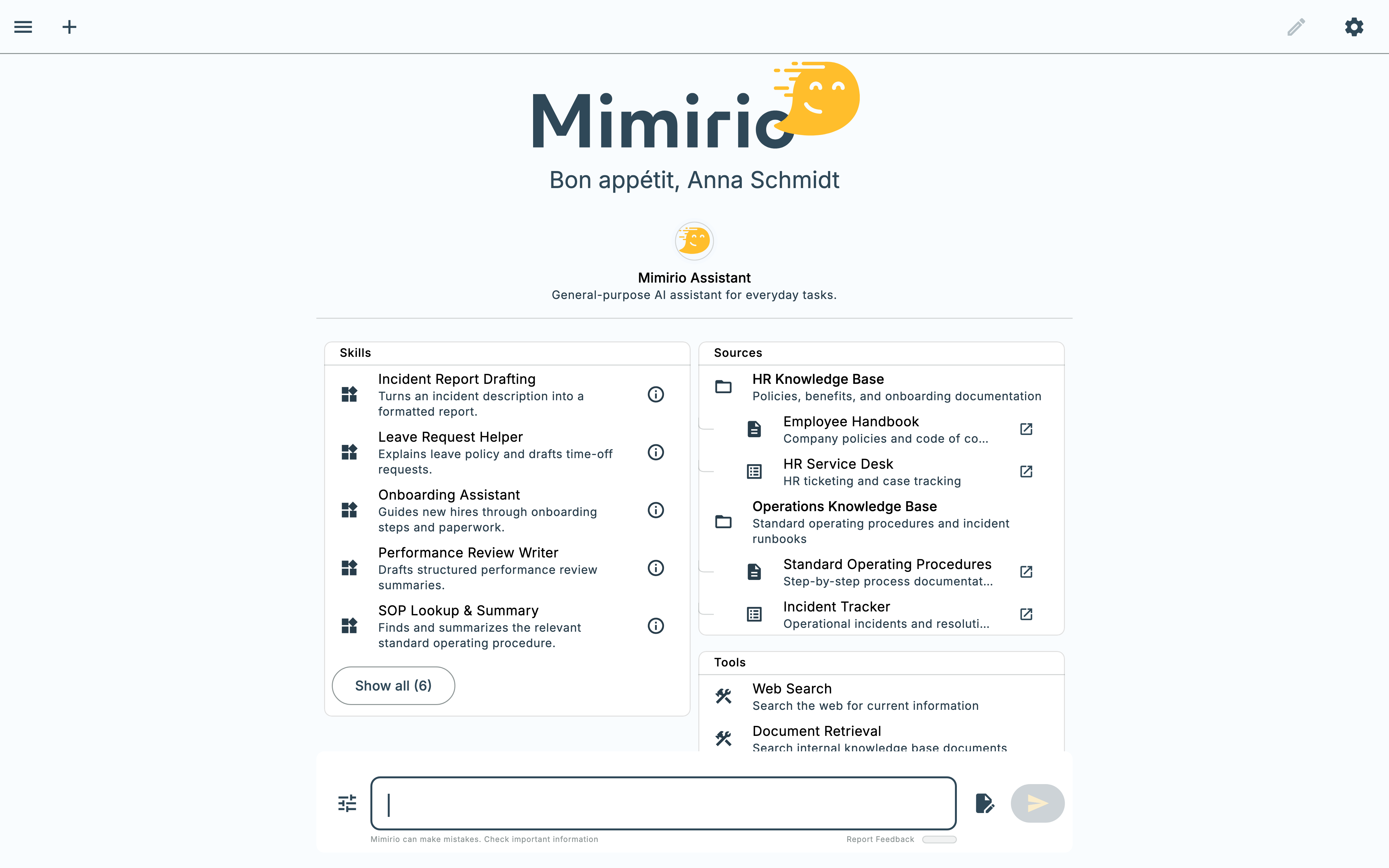
Build the agent for the job, not a chatbot for everything.
5-minute setup · Share with anyone in your org
Built by you, for your team
Not a generic assistant with a different name — an agent whose knowledge, behavior, and access you actually control.
Its own knowledge
Upload files directly or attach an existing knowledge pool — the agent answers from your documents, not general knowledge.
Its own personality
Plain-language instructions shape how it thinks, responds, and what it asks before acting — not just a name and an avatar.
Reusable skills
Attach the same specialized skills used across Mimirio, so your agent runs a real workflow, not just a prompt.
Controlled sharing
Keep it to yourself, share with specific people, or open it to everyone — with per-person edit or use-only access.
1. Design your agent
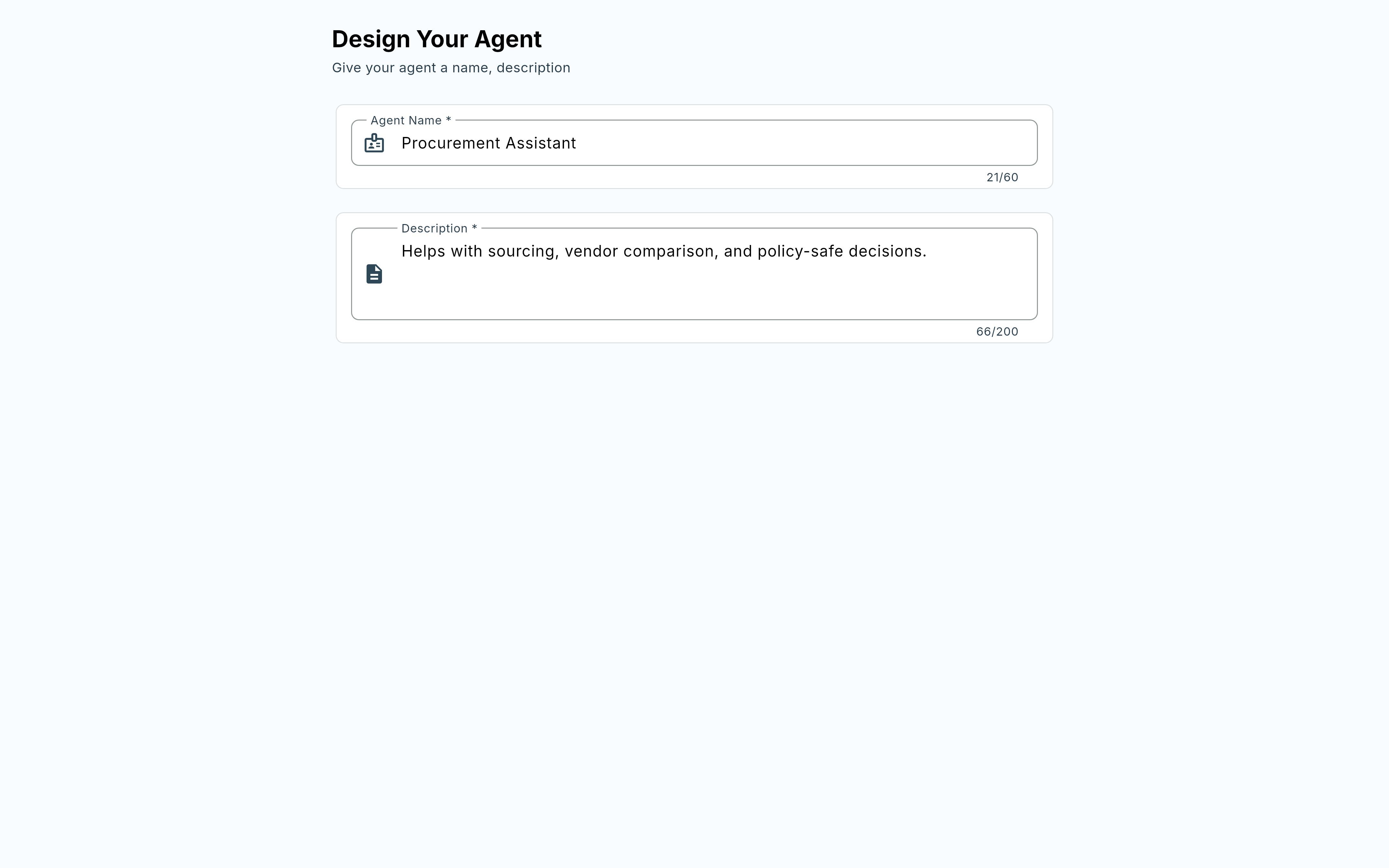
Start with a name and a one-line description — enough for your team to know what it’s for at a glance. “Procurement Assistant: helps with sourcing, vendor comparison, and policy-safe decisions” tells people exactly when to reach for it, before they’ve asked it a single question.
2. Give it knowledge
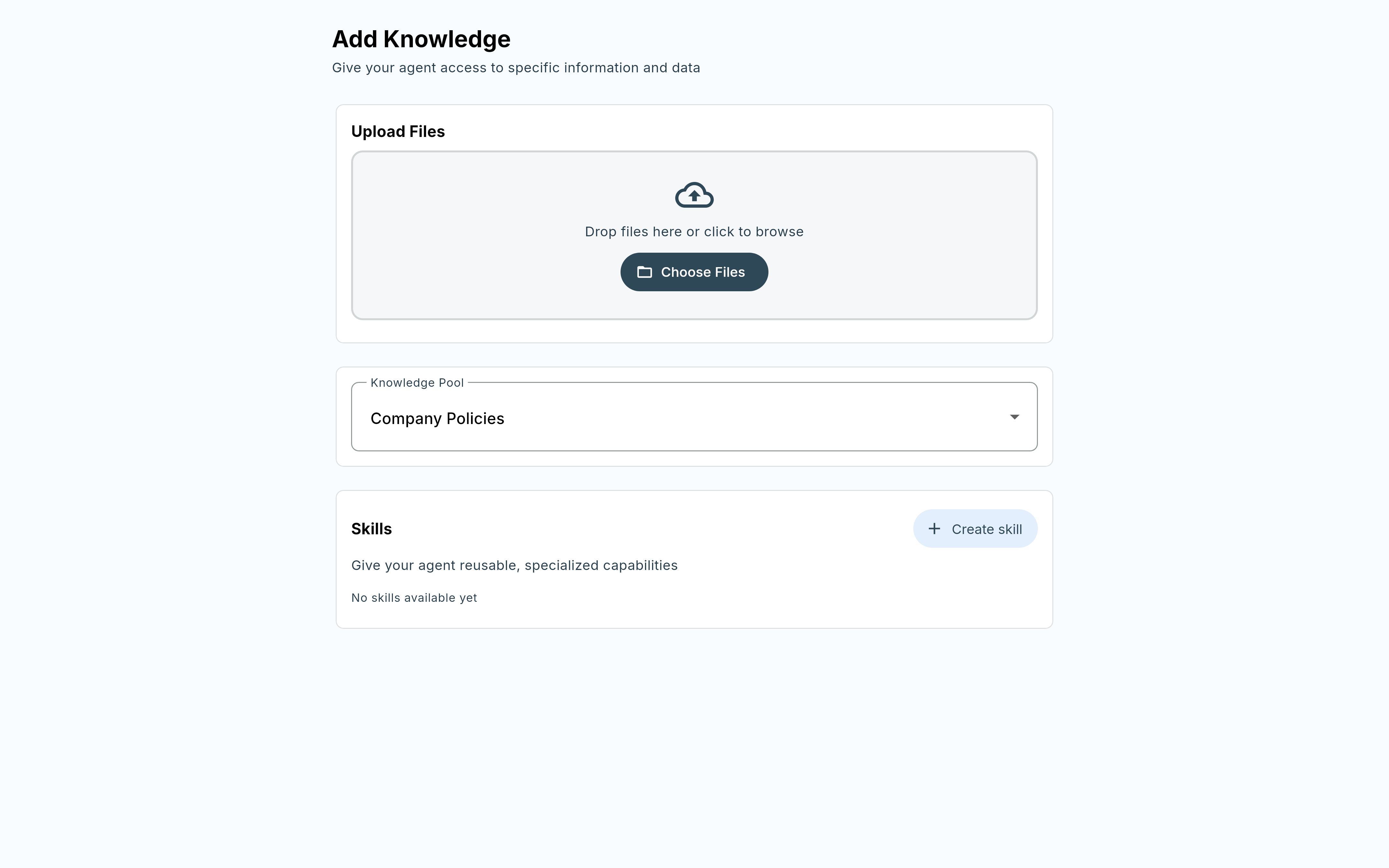
Upload files directly, or point it at an existing knowledge pool — like your company’s vendor policies — so it answers from your actual documents, not general knowledge. Attach reusable skills too, the same specialized capabilities used across the rest of Mimirio, so the agent runs a real workflow rather than a one-off prompt.
3. Define its personality
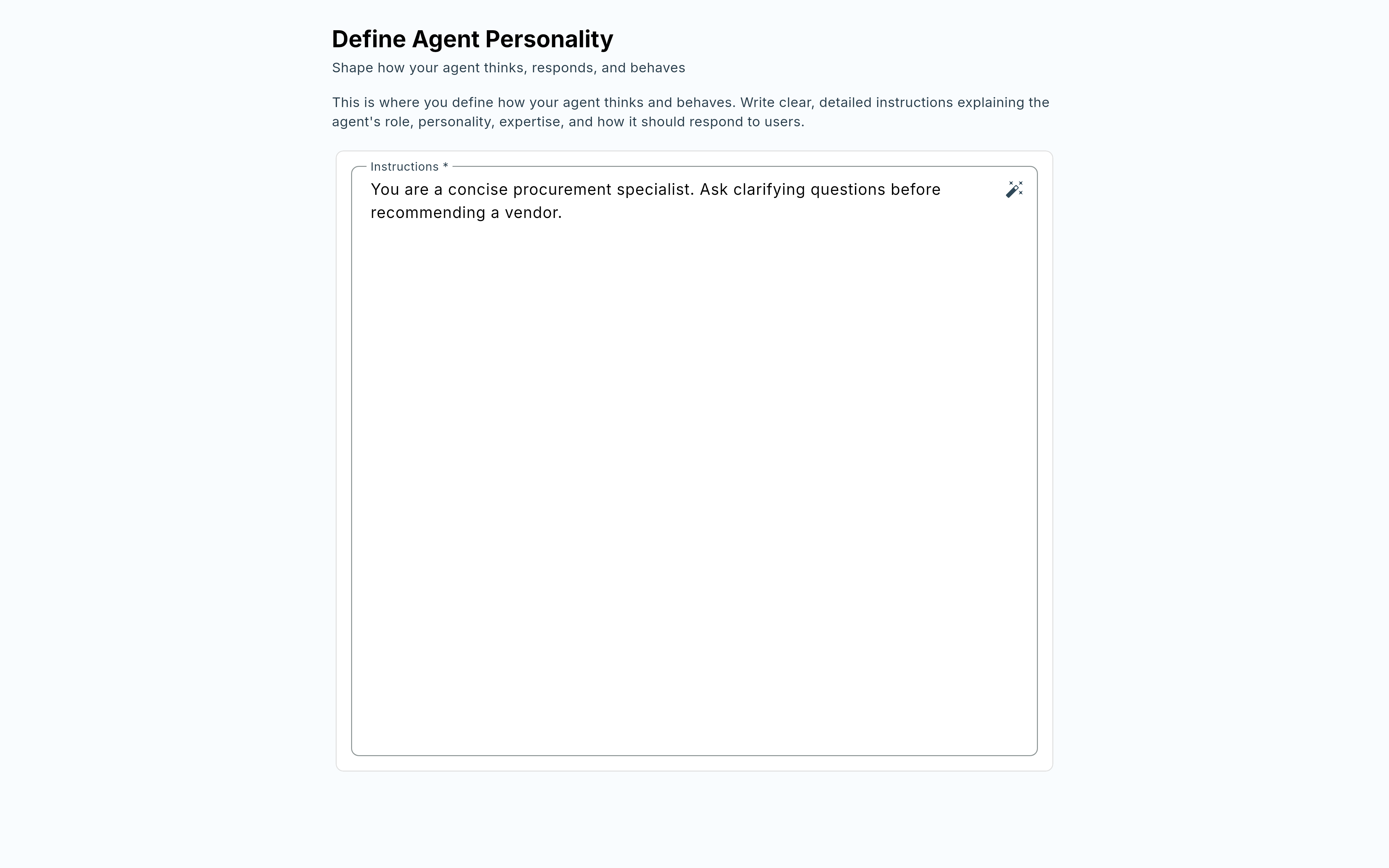
Write plain-language instructions for how the agent should think and respond — its role, its tone, what it should always ask before acting. “You are a concise procurement specialist. Ask clarifying questions before recommending a vendor” is enough to shape real behavior, not just a persona.
4. Try it out before anyone else sees it
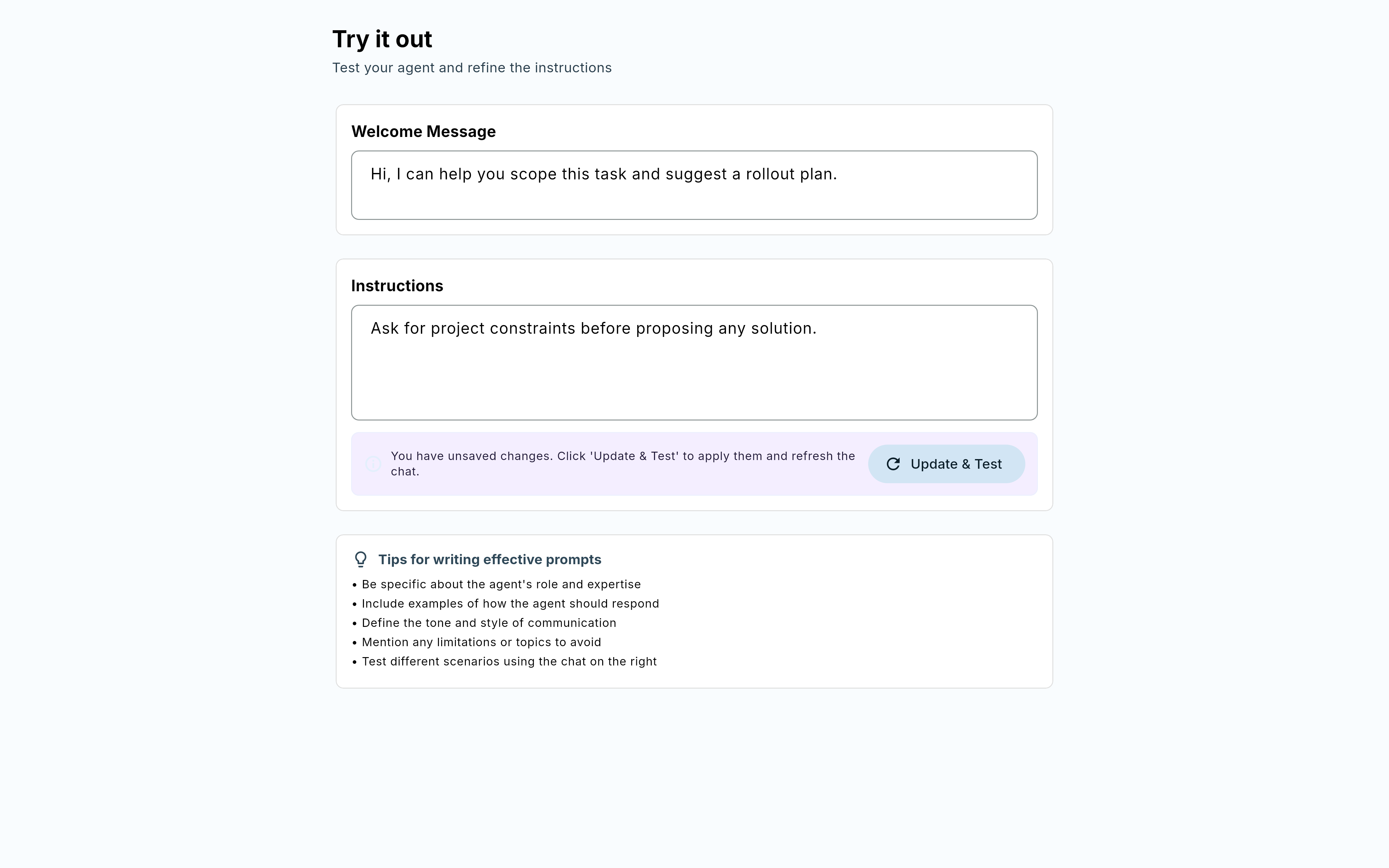
Test the agent right there while you build it. Adjust the welcome message or instructions, hit Update & Test, and the chat refreshes with your changes immediately — no separate deploy step, no waiting to find out if the instructions actually work.
5. Share it with exactly the right people
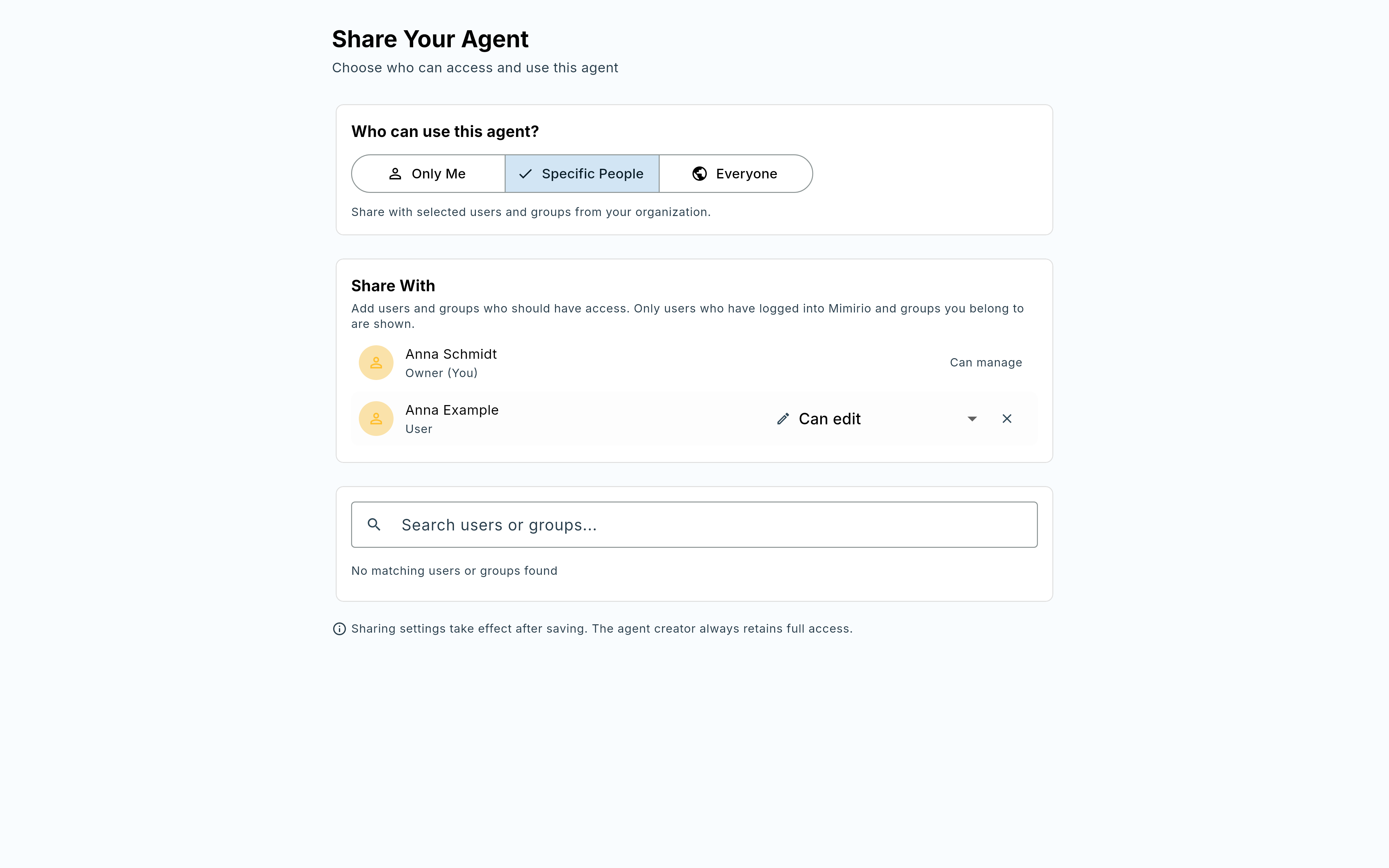
Keep it to yourself while you’re building, share it with specific people once it’s ready, or open it to everyone in your organization — and choose per person whether they can just use it or also edit it. Sharing settings take effect after saving; you keep full access no matter who else you add.
Right there when you need it
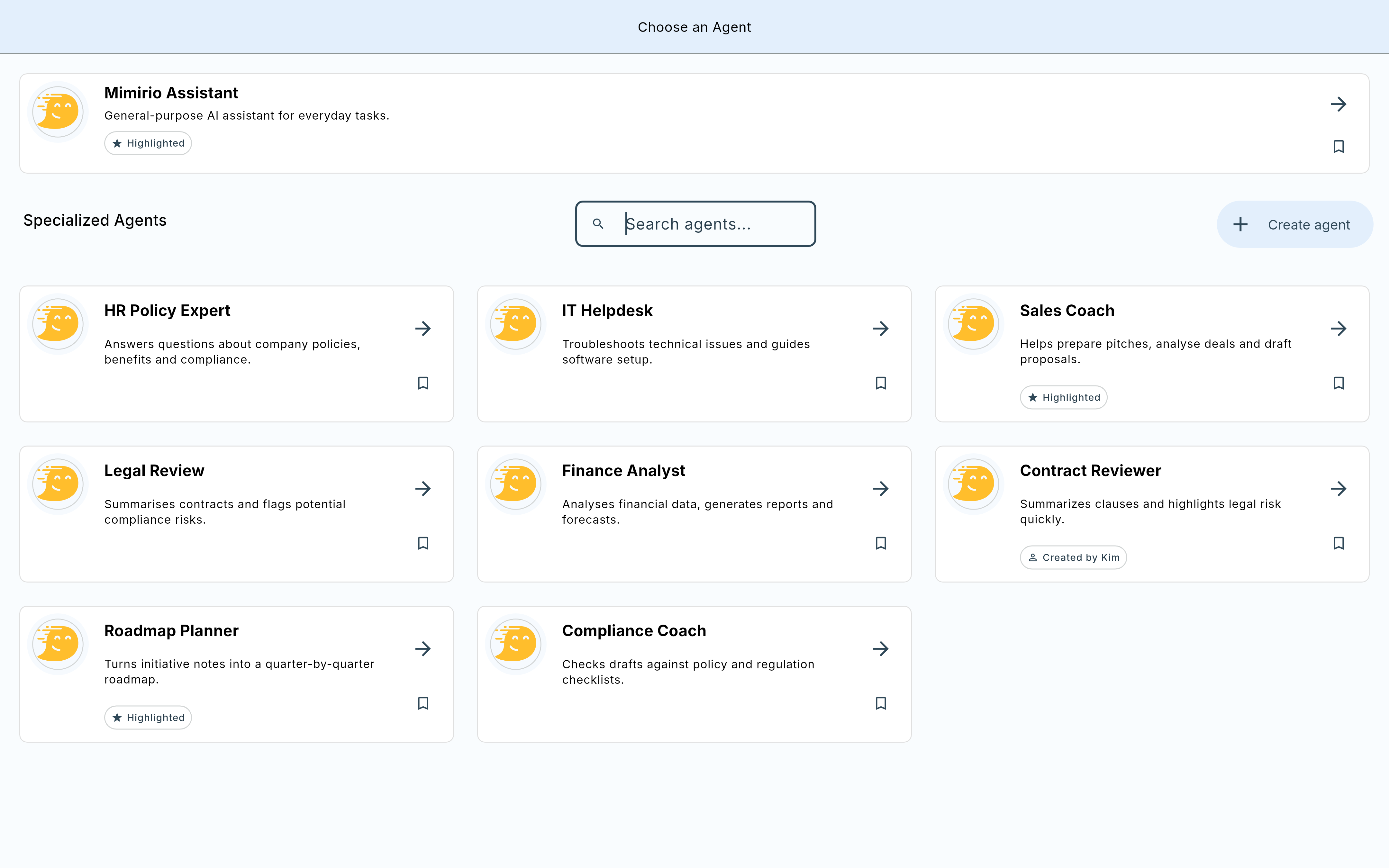
Every custom agent you build shows up in the same agent picker you already use to start a conversation — no separate app, no extra step to find it later.
See it running on your own data.
Book a 30-minute call and we will walk you through this feature with your own data — personally.
Free & non-binding · Clarity in 30 minutes · Pilot project on request